
目錄
Intel 推出的 Thunderbolt Share ,就是為了解決這些痛點而設計的功能。透過 Thunderbolt 連接,讓兩台電腦可直接高速互通,並支援鍵鼠共用與拖曳檔案等操作。
一、Thunderbolt Share 是什麼?
Thunderbolt Share 是 Intel 推出的跨電腦協作軟體。它利用 Thunderbolt 高頻寬、低延遲的特性,讓兩台 PC 可以直接建立高速連線。
簡單來說:它可以把兩台電腦變成像「共享工作空間」一樣。
透過 Thunderbolt Share,你可以:
- 共用鍵盤與滑鼠
- 共享螢幕畫面
- 拖放檔案高速傳輸
- 同步資料夾
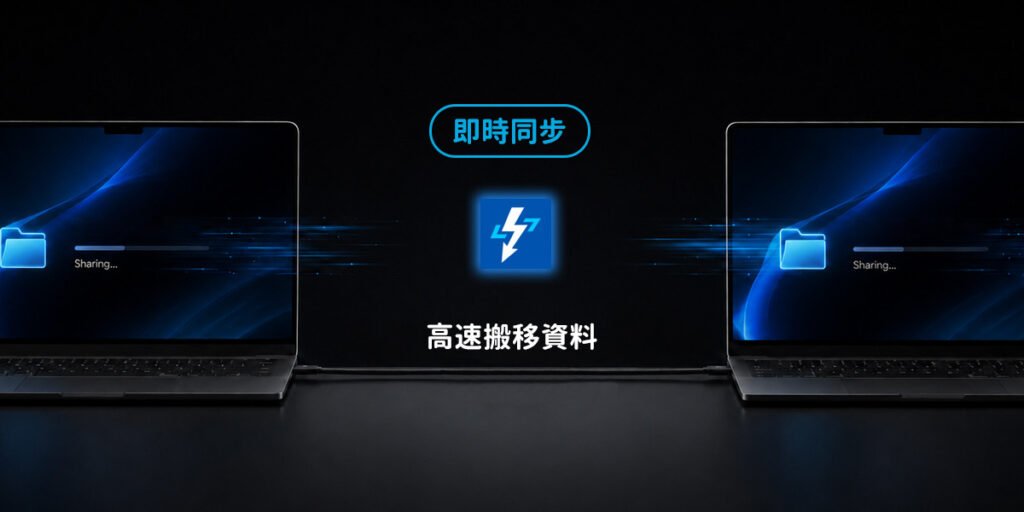
- 快速搬移舊電腦資料
二、Thunderbolt Share 可以做到哪些功能?
Thunderbolt Share 最大特色,就是不只「傳檔」,它更像是一套完整的跨電腦協作系統。
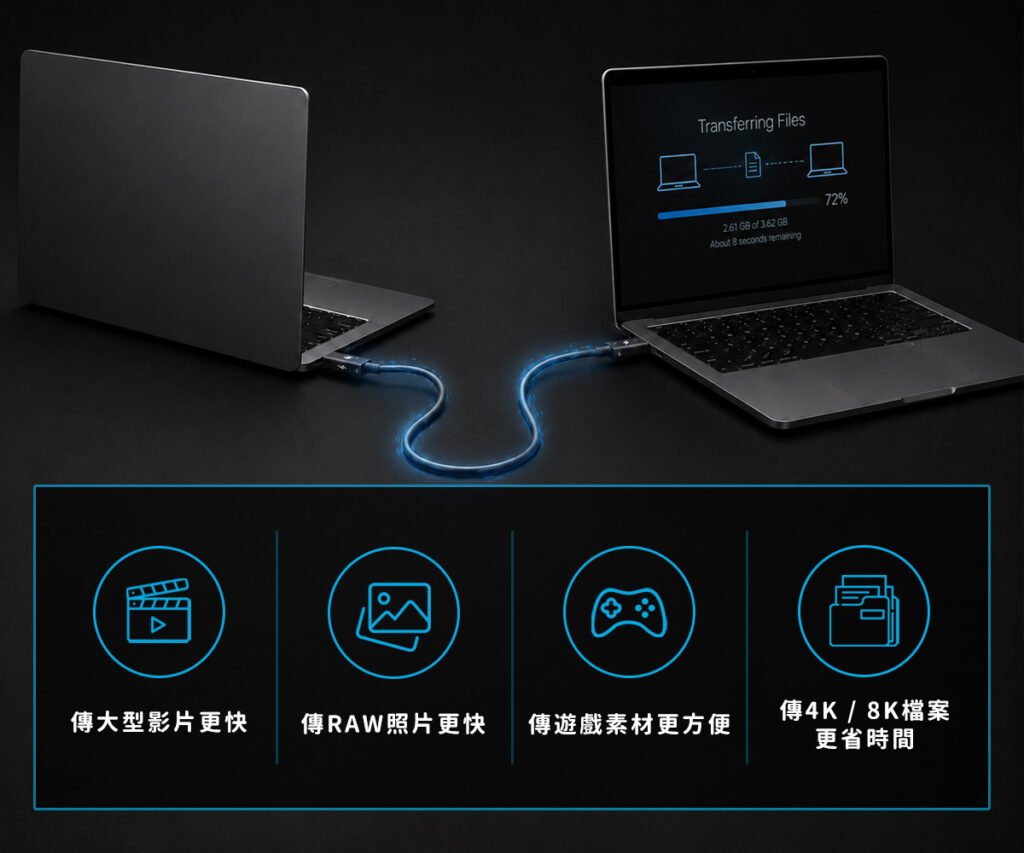
超高速檔案傳輸
這是最多人最有感的功能,透過 Thunderbolt 高頻寬:
- 傳大型影片更快
- 傳 RAW 照片更快
- 傳遊戲素材更方便
- 傳 4K / 8K 檔案更省時間
尤其對剪輯工作來說非常有感,以前100GB 專案可能要等超久,現在幾分鐘就能完成,大幅減少等待時間。
共用鍵盤與滑鼠
這功能超實用,例如:左邊是公司筆電,右邊是家裡桌機,你不需要:
- 兩組滑鼠
- 兩把鍵盤
- KVM 切換器
- HUB
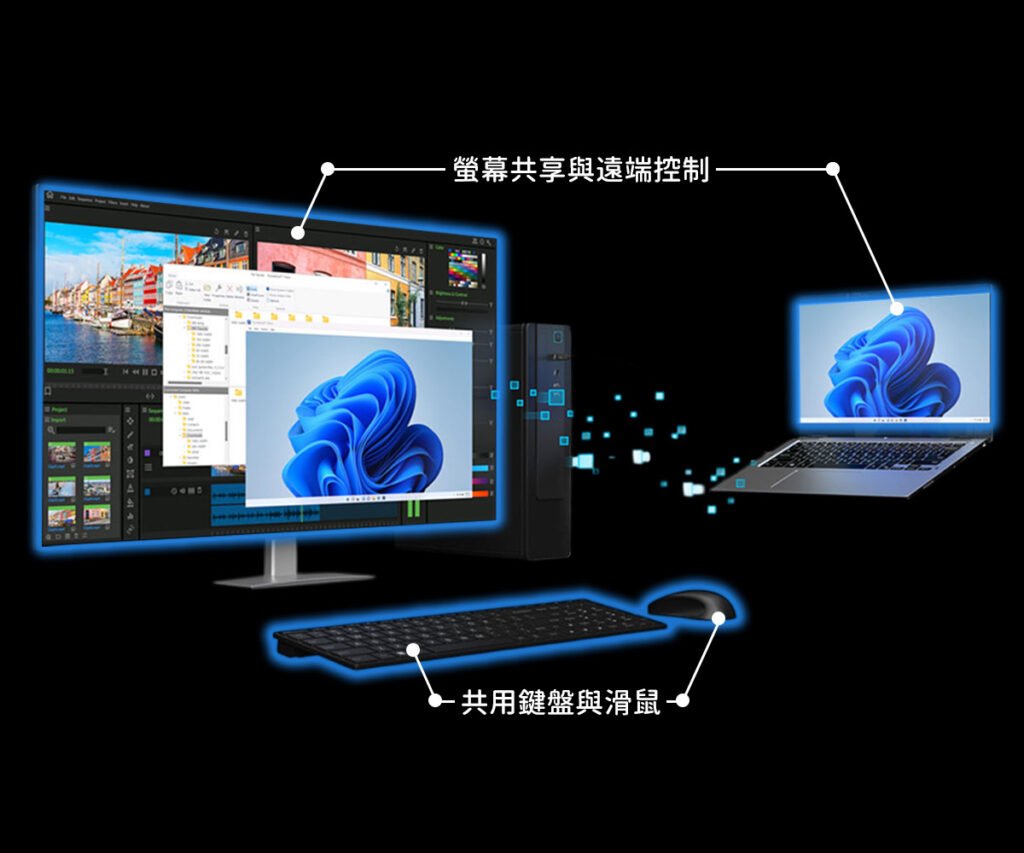
只要滑鼠移動到另一側螢幕,就能直接控制另一台電腦,操作感很像使用雙螢幕,這對多工工作真的非常方便。
螢幕共享與遠端控制
Thunderbolt Share 可以直接在主電腦中開啟另一台 PC 的畫面。而且因為走的是 Thunderbolt 頻寬,不是一般 Wi-Fi 網路,所以操作體驗非常流暢。
優勢包括:
- 幾乎感受不到延遲
- 游標移動非常順
- 畫面不容易模糊壓縮
- 適合高解析工作需求
對剪輯、修圖、程式開發來說非常實用。
資料同步與新舊機搬家
Thunderbolt Share 也支援:
資料夾同步
可以設定:即時同步 / 自動同步 / 排程同步,讓桌機與筆電中的工作檔案保持一致。
新舊電腦資料轉移
換新電腦時最麻煩的通常是:
- 搬照片
- 搬工作檔
- 搬專案
- 整理資料
Thunderbolt Share 提供 PC Migration 功能,可以高速搬移舊機資料,對大量資料使用者來說非常方便。
一條線,效率全面升級!USB4 Gen3 40G Type-C to Type-C+A 傳輸線,支援 40Gbps 極速傳輸與穩定快充,筆電手機多裝置一線搞定。抗干擾設計更穩更快,工作不卡、娛樂不等,效率升級首選!
🚀 ZA喆安 好物推薦
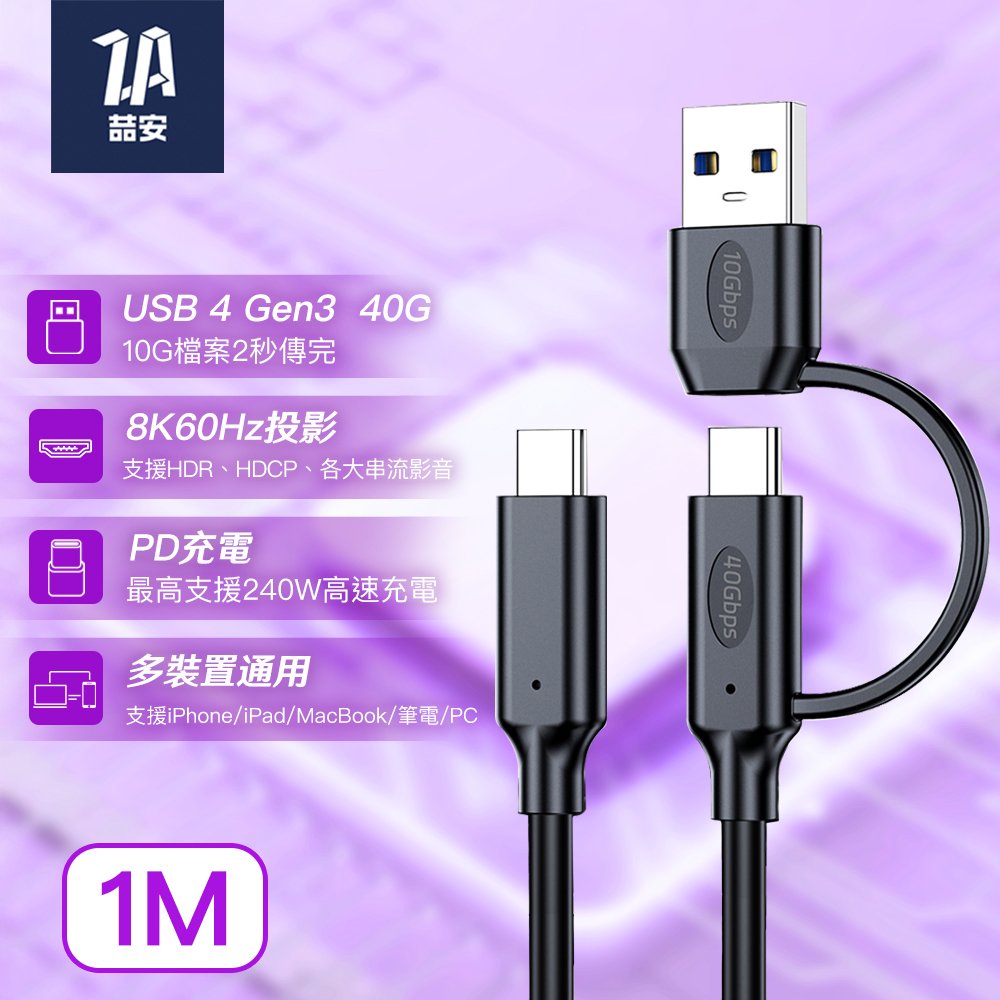
【✨USB4 Gen3 40】
10G大檔2秒傳完!PCIe 高速介面加持,極速傳輸不卡頓,影片、遊戲、專案瞬間搬移,效率全面升級!
【✨ PD3.1 240W 高速充電】
PD3.1 240W 超高功率快充,支援筆電與多設備高速穩定供電,充電更快更安全。
【✨ 8K60Hz 高動態影像】
支援 8K60Hz 高動態影像輸出,畫面超清晰、流暢無延遲,呈現極致視覺體驗。
【✨ C+A兩種組合 自由切換】
Type-A + Type-C 雙接頭設計,自由切換多種裝置,使用更靈活、相容更全面。
三、 Thunderbolt Share 需要什麼設備?
這裡是很多人最容易搞混的地方,不是有 USB-C 就一定能用。
兩台支援 Thunderbolt 的 Windows 電腦
最基本條件,兩台電腦都必須具備
- Windows 11
- Thunderbolt 4 或 Thunderbolt 5
目前不支援 macOS、Linux、Windows 10,因此 MacBook 即使有 Thunderbolt,也無法使用 Thunderbolt Share。
Thunderbolt 4 / Thunderbolt 5 連接埠
這是最重要的核心,Thunderbolt Share 必須透過:Thunderbolt 4 或 Thunderbolt 5,來建立高速直連。
如何辨認 Thunderbolt?
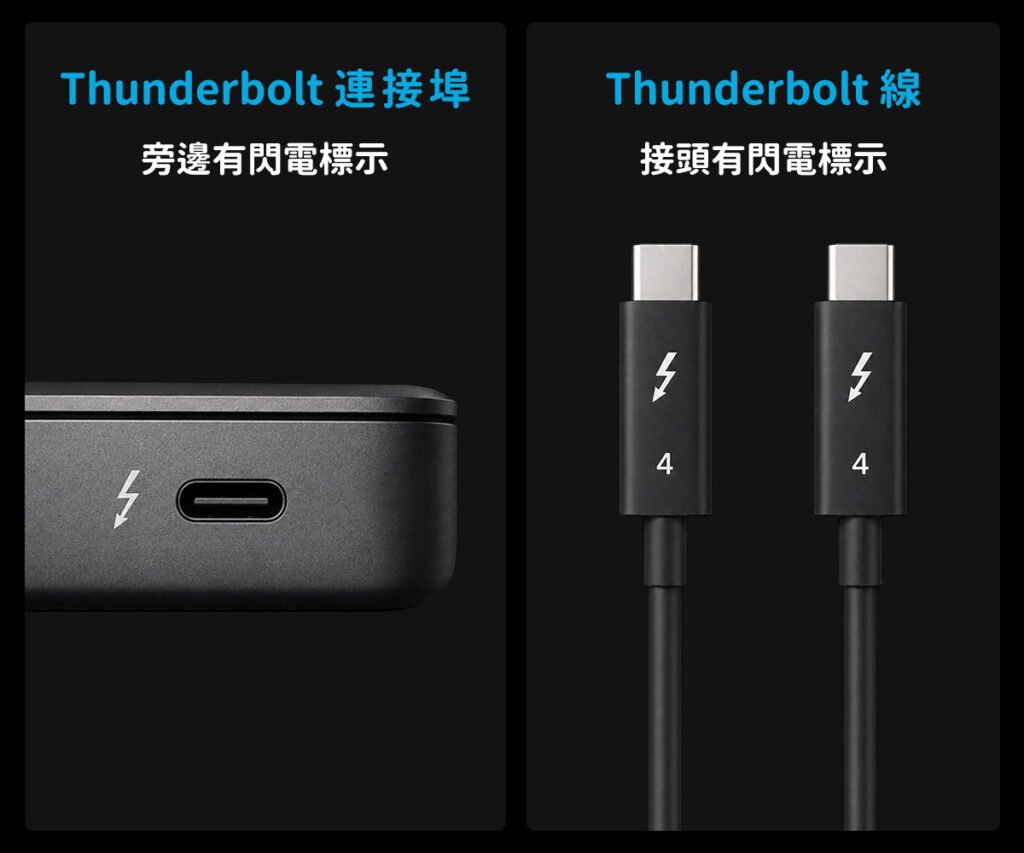
通常 Thunderbolt 連接埠旁邊會有閃電標誌,有些設備還會標示:
- Thunderbolt 4
- Thunderbolt 5
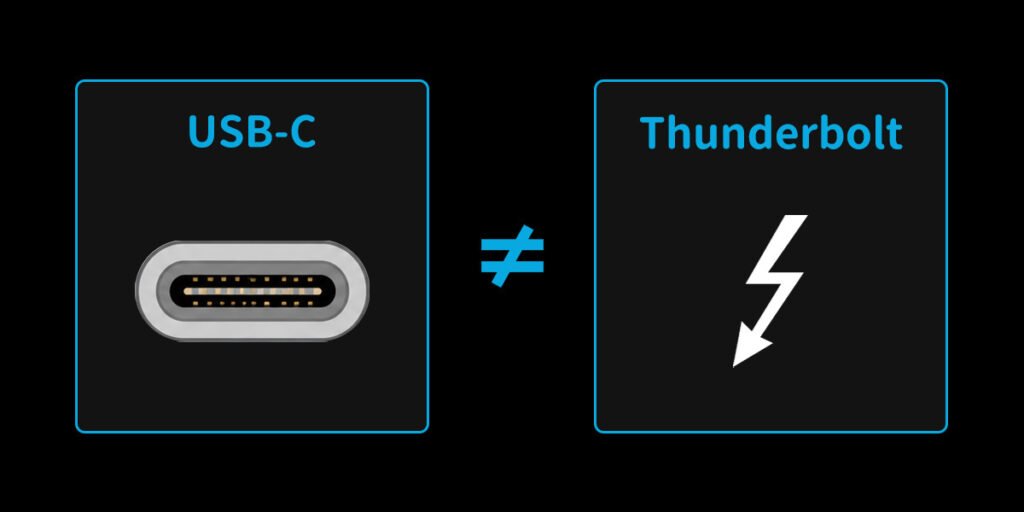
⚠️ 注意:USB-C 不等於 Thunderbolt
很多人會誤以為「有 USB-C 就能用 Thunderbolt Share」,其實不一定,因為:
- USB-C 只是接頭外型
- Thunderbolt 才是高速傳輸協定
因此即使接口長得一樣,沒有 Thunderbolt 功能仍然無法使用。
Thunderbolt 認證線材
Thunderbolt Share 必須使用 Thunderbolt 4 線 或 Thunderbolt 5 線,一般 USB-C 充電線通常不行。
⚠️ 為什麼線材很重要?
因為 Thunderbolt Share 需要高頻寬、穩定傳輸、低延遲,普通 USB-C 線可能:
- 只能充電
- 不支援高速資料
- 無法建立 Thunderbolt 網路
因此會導致,功能失效、無法連線、傳輸異常等…
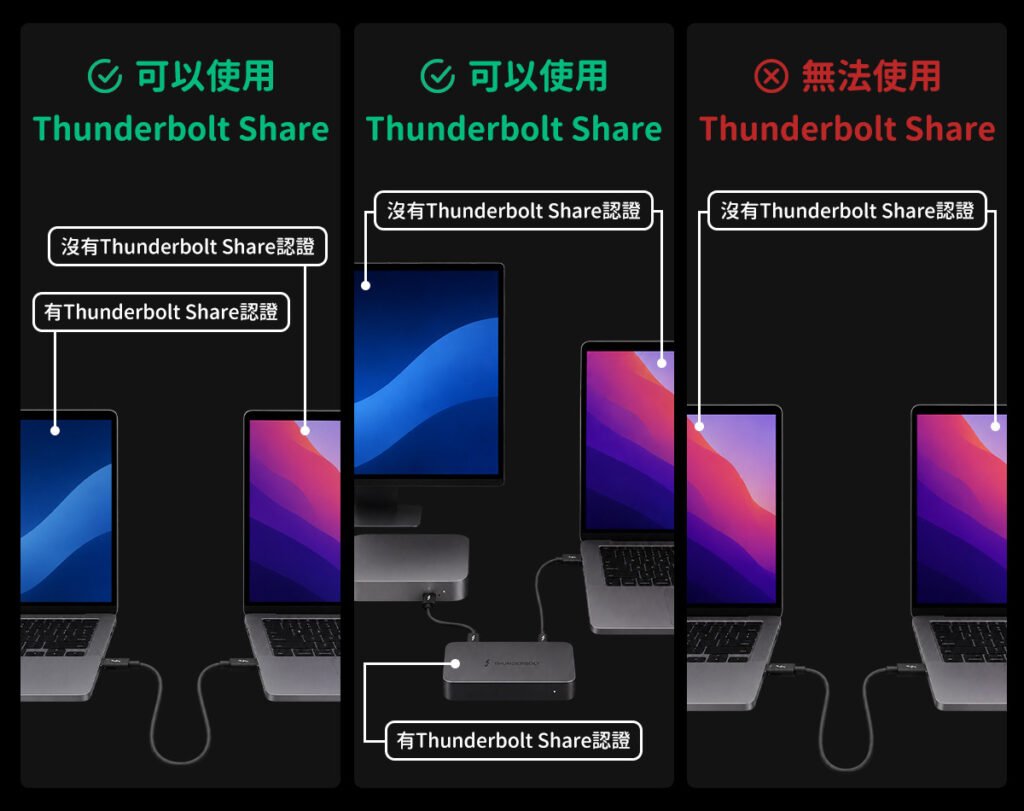
Thunderbolt Share 授權設備
以下三種情況:
➊ 其中一台電腦有 Thunderbolt Share 認證
可以使用,例如:
- 新款商務筆電
- 部分高階主機板
- OEM 認證機種
➋ 電腦沒有授權,但 Dock 有授權
可以使用,例如部分:
- Thunderbolt Dock
- 擴充基座
- 高階螢幕
具備 Thunderbolt Share 認證。
➌ 所有設備都沒授權
Thunderbolt Share 雖然能免費下載,但至少需要:
一台已授權的電腦 或 一台已授權的 Thunderbolt Dock/螢幕,才能啟用功能。
四、 Thunderbolt Share 怎麼安裝?
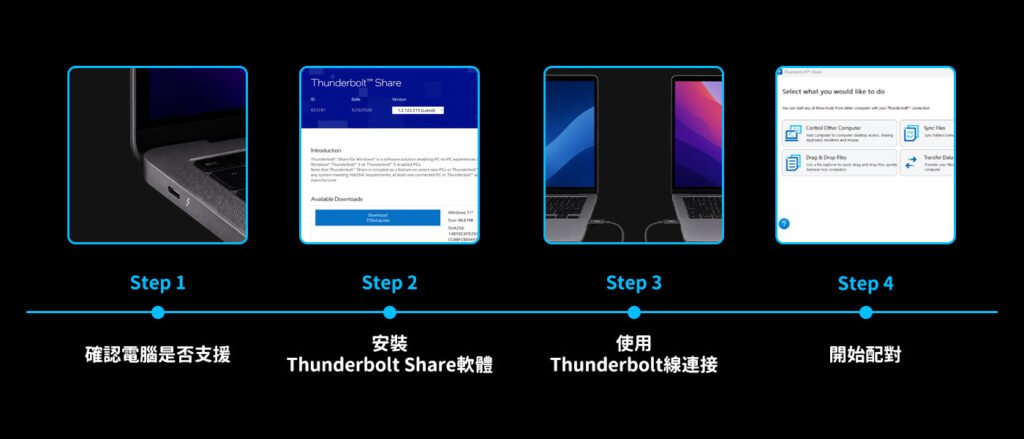
實際流程其實不難。
Step 1|確認電腦是否支援
先確認:
- 是否有 Thunderbolt 4 / 5
- 是否支援 Thunderbolt Share
有些品牌會直接標示 Thunderbolt Share Ready。
Step 2|安裝 Thunderbolt Share 軟體
到 Intel 或品牌官方頁面下載,安裝完成後,兩台電腦都要開啟軟體。
Step 3|使用 Thunderbolt 線連接
接著直接用 Thunderbolt 線把兩台電腦接起來。
⚠️ 注意:不是 HDMI,也不是普通 USB 傳輸模式。
Step 4|開始配對
五、Thunderbolt Share 適合哪些人?
➊ 影音創作者
例如:
- 剪片
- 修圖
- 動畫
- 3D 建模
大檔傳輸差異非常明顯。
➋ 多電腦工作者
像是:
- 工程師
- 設計師
- 行銷人員
常需要:公司機、個人機,一起工作。
➌ 遊戲玩家
尤其:
- 直播主
- 雙機直播
- 實況玩家

AD

AD

AD
總結 | Thunderbolt Share 是未來多電腦工作的關鍵功能
Thunderbolt Share 最大價值,不只是速度,而是把兩台電腦的界線變得更小。
你不用再:
- 瘋狂切換設備
- 拔插硬碟
- 開雲端同步
- 找傳輸線
而是能像使用同一台電腦般自然工作。
閱讀相關文章:Thunderbolt 5 和 USB4 V2.0 是什麼?|規格、速度與用途完整解析
閱讀相關文章:MacBook 用戶必懂重點|USB4、Thunderbolt 4 怎麼選才不踩雷?
延伸閱讀
What is Thunderbolt Share?
Thunderbolt Share is a cross-PC collaboration software developed by Intel. It takes advantage of Thunderbolt’s high bandwidth and low latency to create a fast direct connection between two PCs.
Simply put, it allows two computers to work together like a “shared workspace.”
With Thunderbolt Share, you can:
- Share a keyboard and mouse
- Share screens between PCs
- Transfer files quickly with drag-and-drop
- Sync folders and files
- Easily migrate data from an old PC to a new one
Best of all, these features can be enabled with just a Thunderbolt cable and the Thunderbolt Share software.