
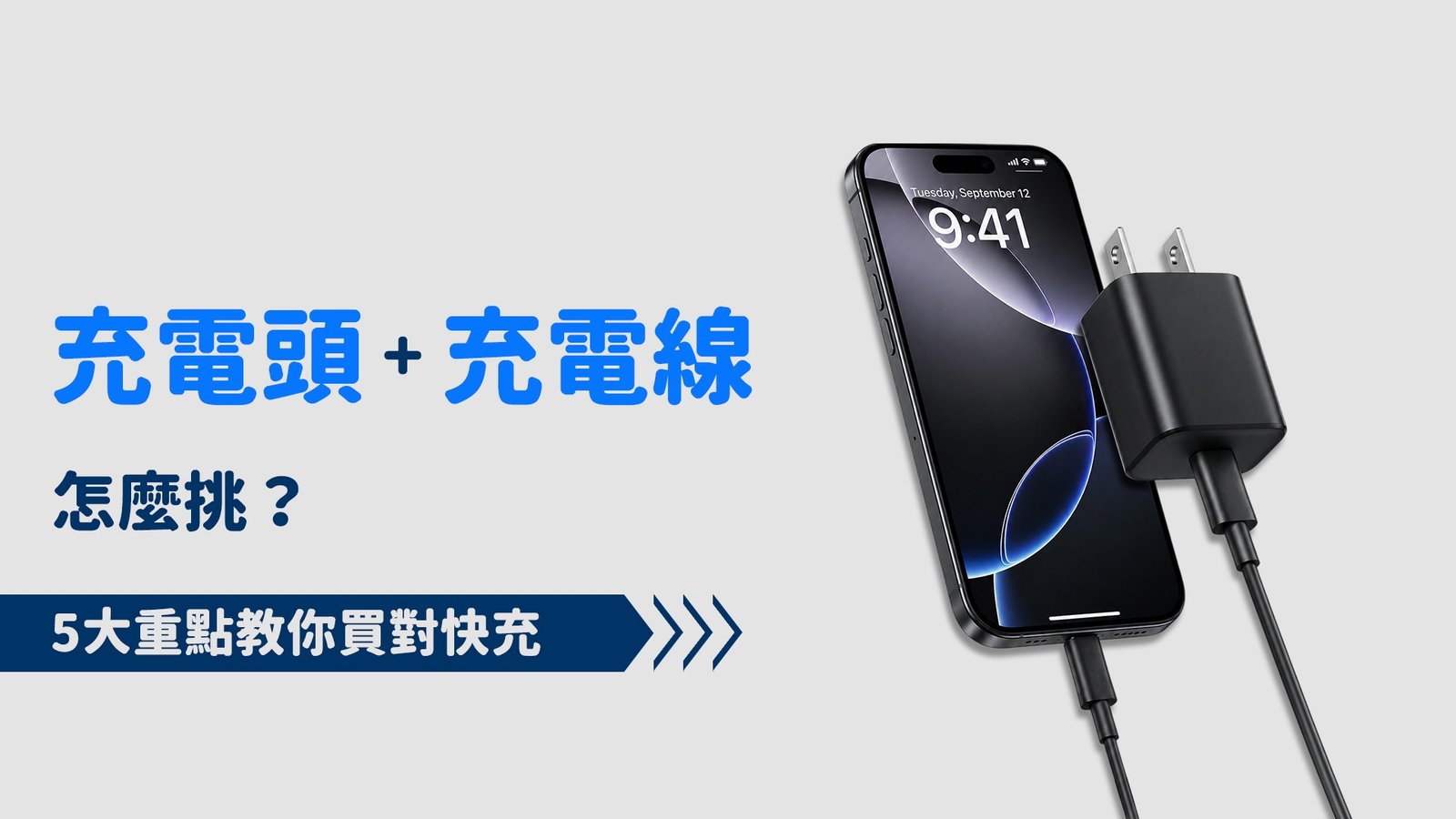
現在大多數手機都支援快充,但想充得快,不是只買高瓦數充電頭就夠了。
快充要看 「手機+充電頭+充電線」三者是否搭配。例如手機支援 45W,即使使用 100W 充電頭,如果充電線規格不足或快充協議不相容,也可能無法發揮完整的 45W。
因此,購買充電頭與充電線前,先確認以下 5 個重點,就能更容易挑對快充組合。
一、快充速度的五大步驟
「充電器瓦數越高,手機就充越快?其實不一定!」
很多人以為 65W、100W 充電頭就能讓手機充更快,但實際速度還是取決於手機本身支援的最高功率。
所以購買「充電頭+充電線」前,別只看 W 數,先確認以下 5 個重點,才能避免買錯。
Step 1|先確認手機支援多少 W
先看手機本身最高支援多少瓦(W)。例如手機最高支援 45W,就不用特別買到 100W。
Step 2|確認充電頭輸出功率
充電頭要有足夠的輸出功率。例如手機支援 45W,充電頭最好選擇支援 45W 以上的規格。
Step 3|確認充電線支援多少 W、多少 A
充電線也有功率上限。常見會看到 60W、100W、240W,以及 3A、5A 等標示。不要只看到 USB-C 就認為一定支援快充。
Step 4|確認快充協議是否相容
例如 USB PD 是目前很常見的快充標準。除了充電頭要支援,手機也要支援相對應的快充規格,才能正常發揮速度。
Step 5|最後確認三者是否搭配
最後一步,就是把手機、充電頭、充電線放在一起確認。
最簡單的理解方式就是:手機決定「最多能吃多少」;充電頭提供電力;充電線則負責傳遞電力。
二、先確認手機支援多少 W
想要快充,第一步不是先買充電器,而是先確認手機最高支援多少 W。
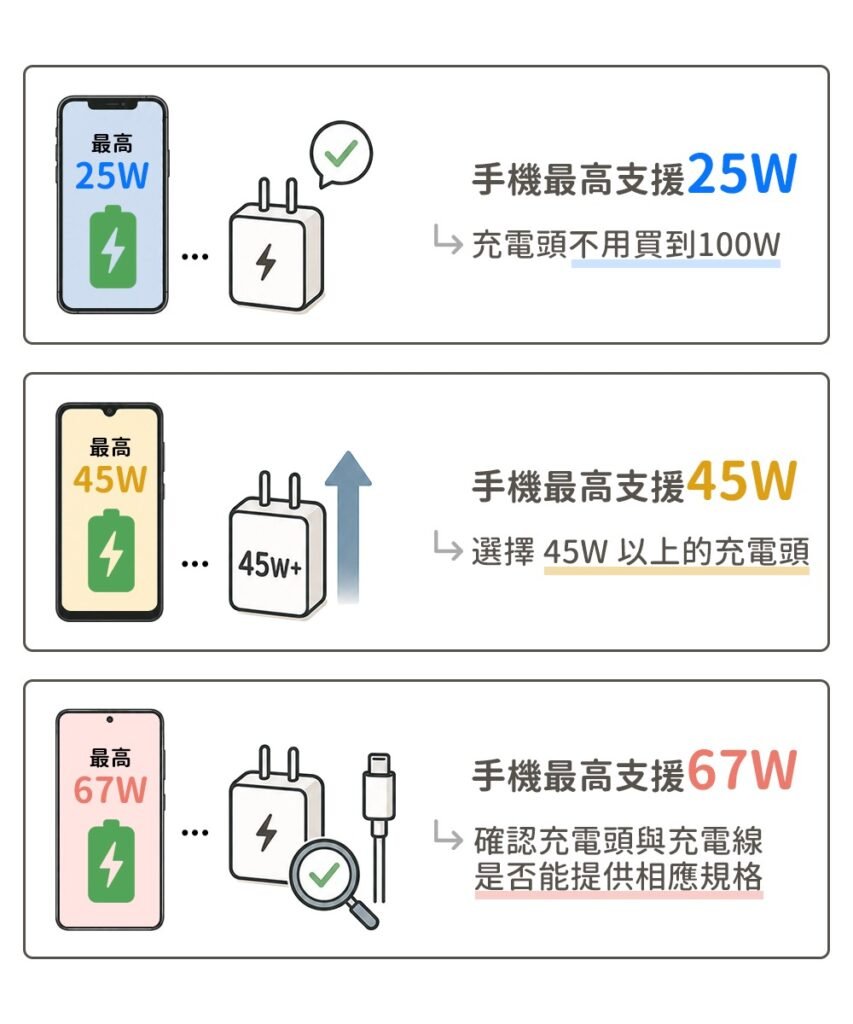
不同手機支援的快充功率都不一樣,常見可能有 18W、25W、33W、45W、67W 甚至更高。
例如:
為什麼一定要先看手機?
因為手機本身就像一個「限制條件」。如果手機最高只支援 25W,即使使用 100W 充電頭,手機也不會因此變成 100W 快充。
高瓦數不代表一定充得更快 ,先確認手機支援的最高功率才是重點。
如果不知道手機支援多少 W,可以查看手機官方規格、產品說明書,或搜尋手機型號+「最高充電功率」。
簡單記住:
先看手機能吃多少 W,再決定要買多少 W 的充電頭。機本身不支援該品牌或該規格的快充技術,實際充電速度仍會被限制在手機允許的範圍內。
三、確認充電頭輸出功率
充電頭是整個快充系統的「電源來源」,影響非常大。
挑選充電頭時要注意:
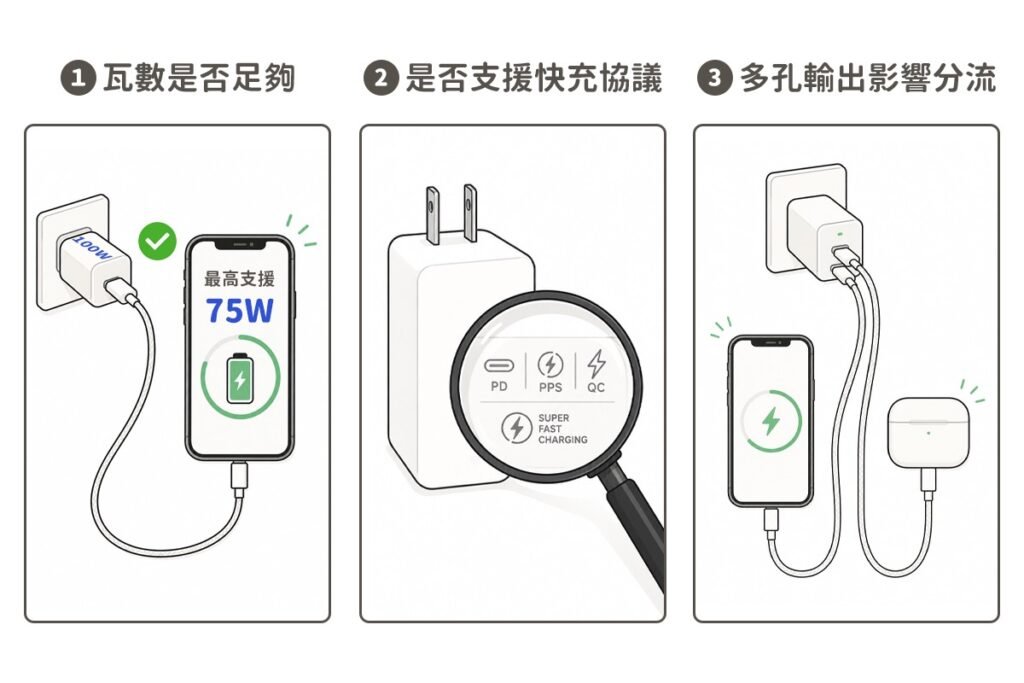
1. 瓦數是否足夠
常見範圍:
- 18W:基本快充
- 30W~45W:中階快充
- 65W~100W:高功率快充
但要記住:
瓦數只是「上限」,不代表手機會用到那麼多
2. 是否支援快充協議
常見包括:
- PD(USB Power Delivery)
- QC(Quick Charge)
- PPS(可變電壓快充)
如果充電頭不支援手機的協議,即使瓦數很高,也可能無法快充。
3. 單孔或多孔輸出影響分流
多孔充電頭同時充多裝置時:
- 手機功率會被分配
- 充電速度可能下降
👉 如果追求速度,建議「單孔優先輸出高瓦數」。
簡單記住:
手機支援 45W,充電頭至少要有相應的輸出能力。
🚀 ZA喆安 好物推薦
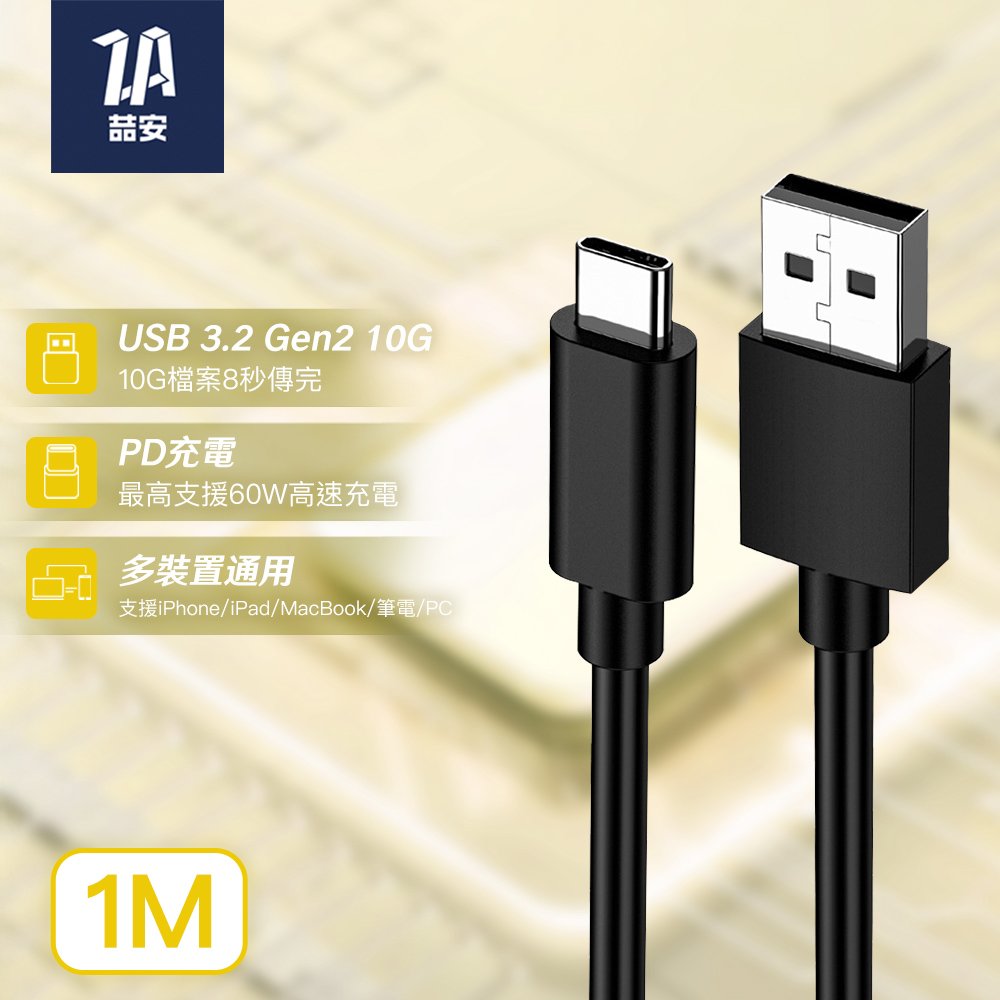
手中擁有最新款 iPhone 或 Type-C 設備,卻還在使用標準 USB-A 的充電頭、電腦或車用系統嗎?
這款 USB-A to USB-C 傳輸線,兼具穩定的數據同步與日常快充需求,解決新舊接口對接的困擾!
【✨新舊設備無痛銜接】
可將 USB-C 的 iPhone、iPad 或筆電,連接至 USB-A 充電器、行動電源、車用音響或桌機,解決接口不相容的困擾。
【✨ 強韌 TPE 材質】
線身採用高彈性 TPE 材質,抗拉扯磨耗。有效防止斷裂,大幅延長使用壽命。
【✨ 數據傳輸 & 充電二合一】
支援 USB 數據傳輸,備份手機資料或外接硬碟檔案;同時支援快速充電協議,讓裝置隨時保持充足電力。
【✨ 廣泛相容 穩定驅動】
除了最新款手機,亦支援 MacBook、筆電、PCIe 行動硬碟等具備 Type-C 孔位的設備,向下支援多種 USB 規範,提供最穩定的相容性。
四、確認充電線支援多少 W、多少 A
很多人買快充時,只注意充電頭,卻忽略了充電線。
其實充電線同樣有自己的規格限制。
市面上的 USB-C 充電線,可能會看到:
60W、100W、140W、240W 以及 3A、5A 等標示。
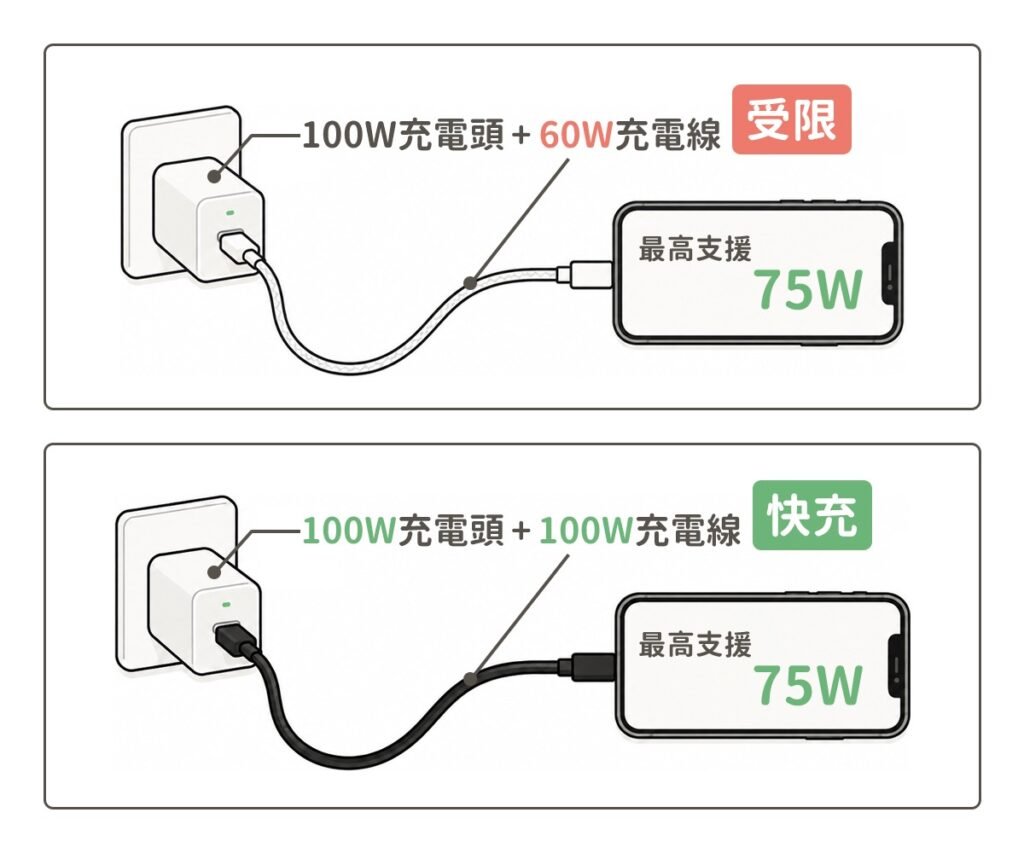
例如你買了一顆 100W 充電頭,但使用的充電線只支援 60W,那麼充電線就可能成為整組充電設備的限制。
另外也要注意:
USB-C 只是接頭外型,不代表這條線一定支援高速快充。
同樣都是 USB-C 線,有些主要適合一般充電,有些則可以支援更高功率。
因此買線時,最好直接確認包裝上的 W數 與 A數,不要只看到「USB-C」或「Fast Charging」就直接購買。
那麼 A 是什麼?
A 指的是安培(Ampere),代表電流大小。
在高功率充電線上,常會看到 5A 規格。簡單來說,當需要較高充電功率時,線材本身也需要具備相應的電流承載能力。
因此,如果你要搭配高瓦數充電頭,除了看 W,也可以注意充電線是否標示 5A 等規格。
簡單記住:
充電頭有多快還不夠,充電線也要「跟得上」。
五、確認快充協議是否相容
高瓦數不一定代表能快充!
除了看充電器的 W 數,還要確認手機與充電器的快充協議是否相容。
目前 USB PD(USB Power Delivery) 是常見的 USB-C 快充標準,但不同品牌也可能採用各自的快充技術,例如:
- Apple: USB Power Delivery(PD)
- Samsung: Super Fast Charging(PPS/PD)
- Xiaomi: HyperCharge 超級快充
- OPPO/realme: SuperVOOC 閃充
- vivo: FlashCharge 閃充
因此,充電器瓦數高、充電線規格高,並不代表手機一定能跑到最高快充速度。如果快充協議不相容,手機可能會自動降到較低的充電功率。
簡單記住:
充電器決定能提供多少,手機決定能使用多少,快充協議則決定能不能正確搭配。
所以購買快充充電頭時,不要只看 65W、100W 等高瓦數,也要確認是否支援手機需要的快充協議。
六、最後確認三者是否搭配
前面 4 個步驟確認後,最後把 手機、充電頭、充電線放在一起檢查。
簡單來說:
手機決定最高能充多少 W,充電頭負責提供電力,充電線則要能承受相應功率。
三者規格搭配,加上快充協議相容,才能發揮理想的充電速度。
以下用幾個常見情境快速了解:
範例 1|45W 手機+45W 充電頭+100W 充電線
手機最高支援 45W,充電頭支援 45W,充電線支援 100W。
👉 規格搭配 OK
充電線承載能力高於手機需求,不會成為限制。
45W 手機 → 45W 充電頭 → 100W 充電線
範例 2|45W 手機+100W 充電頭+60W 充電線
手機支援 45W,充電頭有 100W,充電線則支援 60W。
👉 基本上可以使用
因為 60W 已高於手機的 45W 需求,但手機最高仍只會依照自身支援的 45W 進行充電。
45W 手機 → 100W 充電頭 → 60W 充電線
範例 3|100W 筆電+100W 充電頭+60W 充電線
筆電需要 100W,充電頭也支援 100W,但充電線只有 60W。
👉 不建議
線材規格不足,可能成為整組設備的限制。若要使用 100W 快充,建議選擇支援 100W 以上的充電線。
100W 筆電 → 100W 充電頭 → 60W 充電線
範例 4|25W 手機+100W 充電頭+240W 充電線
充電頭與充電線規格都很高,但手機最高只支援 25W。
👉 可以使用,但不會變成 100W 或 240W 快充
手機本身的充電上限是 25W,因此不會因為更換高瓦數設備而突破限制。
25W 手機 → 100W 充電頭 → 240W 充電線
範例 5|iPhone 搭配不支援快充的充電線
iPhone 支援 USB PD 快充,但使用一條僅支援一般充電、無法配合 USB PD 快充的 USB-C 線材。
即使搭配高瓦數充電頭,手機仍可能無法啟用預期的快充速度。
👉 充電頭有 100W,但線材規格不符合快充需求 → 無法發揮完整快充

AD

AD

AD
總結 | 快充不是只看充電頭
買快充產品時,別以為充電頭 100W 就一定充得快。
真正影響充電速度的是:
手機支援多少 W → 充電頭能輸出多少 → 充電線能承受多少 → 快充協議是否相容
所以購買「充電頭+充電線」時,記住:
先看手機,再挑充電頭,最後確認充電線與快充協議。
不用盲目追求高瓦數,三者規格搭配正確,才能買得剛好、充得更快,也避免花冤枉錢。
閱讀相關文章:Thunderbolt 5 和 USB4 V2.0 是什麼?|規格、速度與用途完整解析
閱讀相關文章:USB Type-C 線材規格懶人包|充電、傳輸、影音一次搞懂
延伸閱讀
Five Steps to Choosing the Right Fast-Charging Setup
“Does a higher-wattage charger mean your phone will charge faster? Not necessarily!”
Many people assume that a 65W or 100W charger will automatically charge their phone faster. However, the actual charging speed depends mainly on the maximum charging power supported by the phone.
So, before buying a charger + charging cable, don’t just look at the wattage. Check these 5 key points to make sure you choose the right combination.
Step 1|Check How Many Watts Your Phone Supports
First, check the maximum charging power (W) supported by your phone. For example, if your phone supports up to 45W, there’s no need to specifically buy a 100W charger.
Step 2|Check the Charger’s Output Power
Make sure the charger provides enough output power. For example, if your phone supports 45W fast charging, choose a charger that supports 45W or higher.
Step 3|Check the Charging Cable’s W and A Ratings
Charging cables also have power limits. Common specifications include 60W, 100W, and 240W, as well as 3A and 5A ratings.
Don’t assume that a USB-C cable automatically supports fast charging just because it uses a USB-C connector.
Step 4|Check Fast-Charging Protocol Compatibility
For example, USB PD (USB Power Delivery) is a widely used fast-charging standard. To achieve the expected charging speed, both the charger and the phone need to support compatible fast-charging specifications.
Step 5|Make Sure All Three Components Work Together
The final step is to check the phone, charger, and charging cable as a complete setup.
The easiest way to understand it is:
The phone determines how much power it can accept; the charger provides the power; and the charging cable delivers the power.