
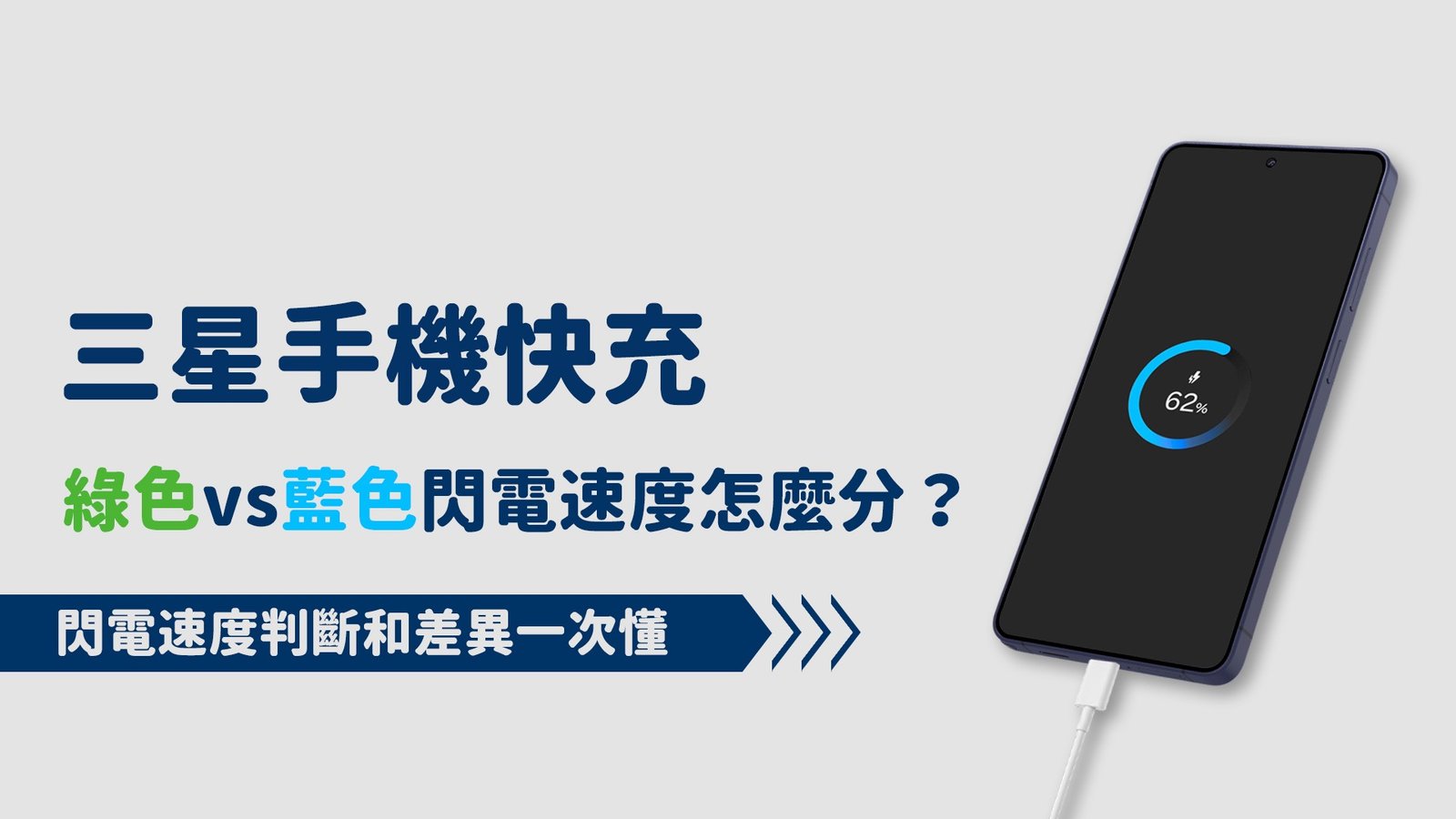
身為三星手機的用戶,在插上充電線的那一刻,是否留意過螢幕上的充電顯示動畫?
畫面中的「顏色」,其實正透露著手上的充電器有沒有偷懶!
這篇不談複雜規格,教你用肉眼看懂圈圈顏色,秒懂快充有沒有真正達標!
一、三星手機充電:閃電與圈圈顏色的意義
很多人以為只要右上角的電池圖示出現「閃電」,就代表快充正在運作。
其實三星為了讓用戶能直觀判斷目前的電力傳輸效率,特別設計了一套「色彩識別系統」。
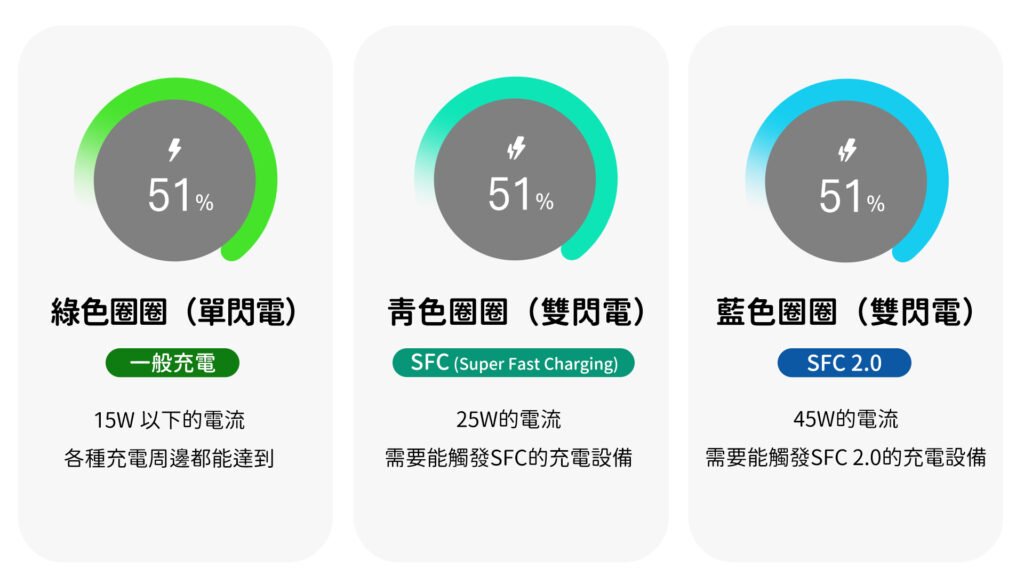
綠色圈圈 (單閃電⚡️):基礎充電模式
這是最基本的電力傳輸,通常出現在 5V/2A 或 9V/1.67A 的規格下。
其功率在 15W 以下的穩定電流,對於現代大電量手機來說,充電時間會明顯拉長。
青色圈圈 (雙閃電⚡️⚡️):SFC 閃電快充
青色圈圈(雙閃電)的畫面是觸發了三星快充 SFC (Super Fast Charging),功率在 25W 左右。
藍色圈圈 (雙閃電⚡️⚡️):SFC 2.0 滿血快充
只有當設備完全支援 SFC 2.0(且滿足 PPS 與 5A 線材)時才會出現的藍色圈圈(雙閃電)。
這代表功率已全速開啟至 45W,是目前三星手機物理極限的滿血狀態。
二、如何達到藍色超快速充電?
要看到藍色圈圈,硬體必須滿足我們在 [前文:快充頭與快充線怎麼配最剛好?] 提到的兩個大前提:
支援SFC(PPS 協議)的充電頭與 5A E-Marker 線材。如果少了其中一個,圈圈就會退回綠色。
熱門好物

AD
熱門好物
AD


熱門好物
三、別被「手機設定」給騙了
許多用戶習慣到手機的「設定」>「電池」中查看充電狀態,
但那裡的文字顯示(如「正在快充」或「超快速充電」)通常有以下兩個局限性:
資訊模糊
系統文字往往無法細分出 25W (SFC) 與 45W (SFC 2.0) 的微小差異。
偵測延遲
設定選單的文字更新速度較慢,有時無法即時反應瞬間的功率跳轉。
終極判斷方法
插上傳輸線瞬間跳出的「圈圈動畫顏色」,是手機硬體與充電頭完成「握手協議」後的直接結果,
也是目前最直覺、最準確的非專業儀器判斷法。

AD

AD

AD
總結
想要追求極速、看到那令人心安的「藍色圈圈」,請確保你的周邊產品符合快充要求的規範與速度,
購買配件時,別再讓不匹配的線材或協議,拖慢了你的旗艦機速度!
閱讀相關文章:數據傳輸線 規格 看不懂💡 5W 20W 65W 100W 240W 什麼意思?
閱讀相關文章:AirPods 全系列比較|功能、音質、價格完整解析
延伸閱讀
Is Your Samsung Charging at Full Speed? Decoding the “Secret Colors” of Your Charging Animation
As a Samsung user, have you ever paid close attention to the animation that pops up the moment you plug in your charging cable?
You might not realize it, but Samsung has hidden a very intuitive secret within the colors of that charging screen. It’s not just for aesthetics; the color on your screen indicates whether your current charger and cable are actually performing at their full potential. In this post, we’re skipping the complex data and getting straight to the point: teaching you how to “read the circles” so you can tell at a glance if your fast charging is hitting the mark!
Many people assume that as long as the “lightning bolt” appears in the battery icon at the top right, fast charging is working. However, to help users intuitively judge power delivery efficiency, Samsung designed a specific “Color Identification System.”
The color of the circular animation that flashes when you connect your cable is the direct result of the “handshake protocol” completed between your phone’s hardware and the charger. It is currently the most intuitive and accurate way to judge charging speed without using professional testing equipment.
If you’re chasing peak speeds and want to see that reassuring “Blue Circle,” you must ensure your accessories meet the required fast-charging standards and protocols. When buying accessories, don’t let mismatched cables or protocols throttle your flagship phone’s performance!